
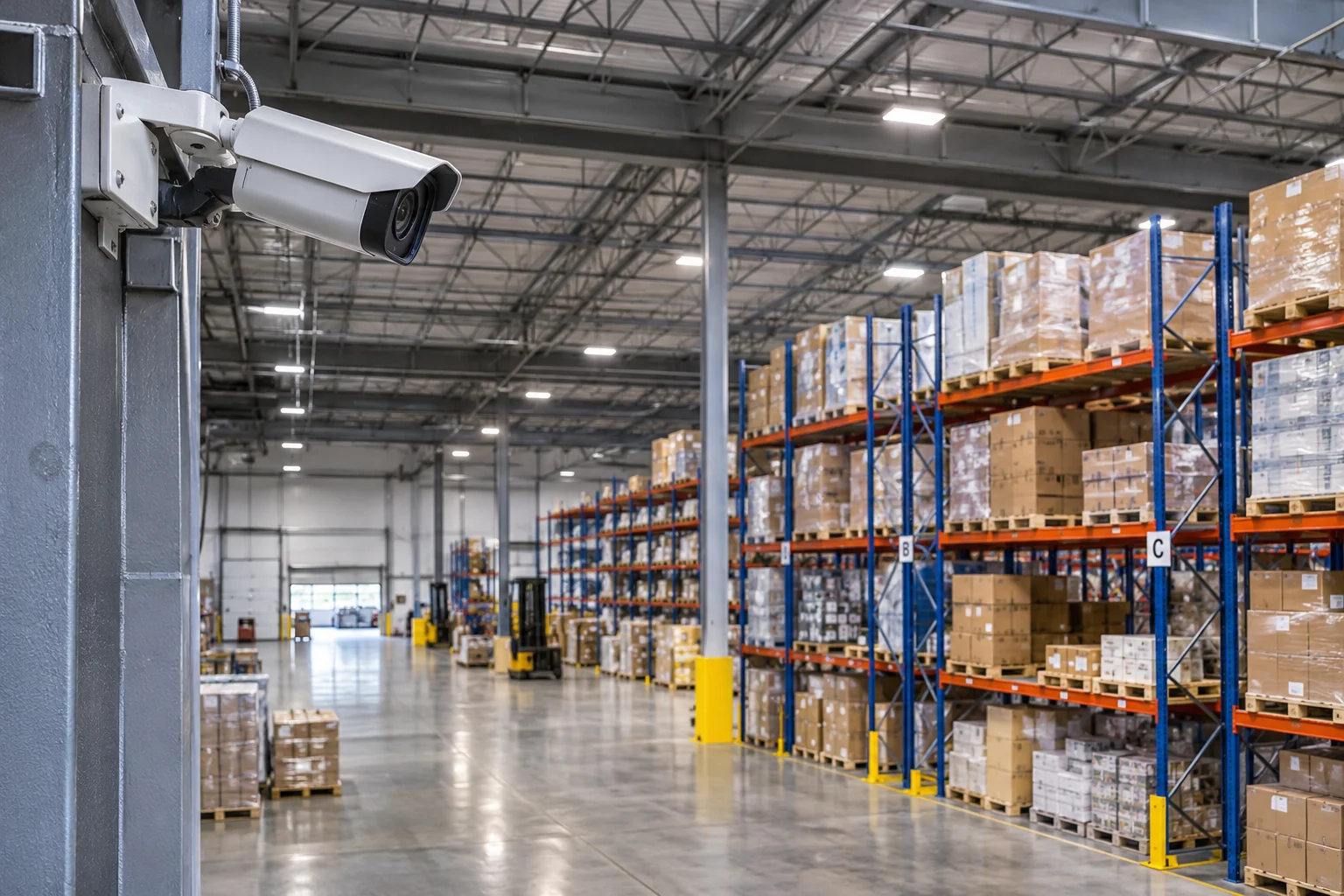
CCTV installation for commercial buildings involves more than mounting cameras around a property. A reliable surveillance system requires careful planning, suitable camera selection, appropriate placement, dependable cabling, and properly configured recording equipment.
Offices, warehouses, retail properties, medical facilities, and other commercial buildings have different security requirements. Their entrances, parking areas, storage spaces, corridors, and operational areas may all need different levels of surveillance coverage.
Understanding these requirements before installation helps businesses make better decisions about their camera systems and avoid common coverage and connectivity problems.
Why Commercial Buildings Need a Proper CCTV System
Commercial buildings often contain multiple access points, valuable equipment, inventory, employees, visitors, and areas with restricted access. Without suitable surveillance coverage, it can be difficult to review incidents, monitor important locations, or understand what happened in a particular area.
A professionally planned CCTV system can help businesses:
- Monitor building entrances, exits, and other important access points.
- Observe activity in shared areas, corridors, and reception spaces.
- Review recorded footage when incidents occur.
- Monitor parking areas, loading zones, and external surroundings.
- Improve visibility across large or multi-area commercial properties.
- Maintain a more organized approach to building security.
The objective is not simply to install as many cameras as possible. It is to identify important areas and create useful coverage without unnecessary equipment or blind spots.
1. Identify the Areas That Need CCTV Coverage
The first step in a commercial CCTV project is understanding the building layout and identifying where surveillance is most useful. Each area should be evaluated according to its purpose, layout, lighting conditions, and security requirements.
Common locations to consider include:
| Commercial Area | Surveillance Considerations |
|---|---|
| Main entrances and exits | Monitor people entering and leaving the property. |
| Reception areas | Provide visibility around visitor-facing spaces. |
| Parking areas | Monitor vehicle movement and important sections of the parking facility. |
| Warehouses and storage rooms | Cover inventory areas, loading zones, and storage access points. |
| Office corridors | Monitor movement through shared internal spaces. |
| Building exteriors | Observe entrances, exterior pathways, and other relevant perimeter areas. |
| Server and equipment rooms | Provide appropriate monitoring of important infrastructure spaces. |
Not every location needs the same camera configuration. For example, a warehouse may require wider coverage of large spaces, while a reception area may need a camera angle that provides a clearer view of the entrance.
2. Choose the Right CCTV Cameras for Each Location
Camera selection should be based on the environment and the type of footage a business needs. A camera that works well in a brightly lit office may not provide the same results in a dark parking area or an exposed outdoor location.
Several camera types are commonly considered for commercial installations.
Dome Cameras
Dome cameras are commonly used in offices, reception areas, retail environments, and indoor commercial spaces. Their compact design allows them to blend into ceilings and other building surfaces.
Bullet Cameras
Bullet cameras are often used for outdoor monitoring and locations where a visible camera direction is useful. They can be suitable for building entrances, exterior walls, and parking areas when the selected model supports the environmental conditions.
Turret Cameras
Turret cameras offer a compact design and flexible positioning. Depending on the model and its specifications, they can be used in both indoor and outdoor commercial environments.
IP Security Cameras
IP cameras transmit video over a network and are commonly used in modern commercial surveillance systems. Their resolution, connectivity, power requirements, and compatibility with the recording equipment should be considered before selection.
The right choice depends on the building, lighting, viewing distance, required image detail, and recording objectives. Selecting cameras based only on their appearance or advertised resolution can lead to disappointing results.
3. Plan Camera Placement to Reduce Blind Spots
Camera placement has a major effect on the usefulness of a CCTV system. Even a high-resolution camera may produce limited results if it is installed at an unsuitable angle or positioned too far from the area being monitored.
During planning, consider the following factors:
- Viewing angle: Make sure the camera covers the intended area without unnecessary obstruction.
- Mounting height: Choose a suitable height based on the space, camera specifications, and required level of detail.
- Lighting: Consider direct sunlight, shadows, low-light conditions, and changing lighting throughout the day.
- Obstructions: Check for walls, pillars, signs, trees, shelving, and other objects that may block the camera view.
- Coverage overlap: Consider overlapping views where important areas need more complete coverage.
- Environmental exposure: Select appropriate equipment for outdoor locations and other demanding conditions.
For example, placing a camera directly above a doorway may provide a view of people entering, but the angle might not capture enough facial detail. The installer should consider the intended purpose of each camera before deciding on its final position.
4. Understand CCTV Cabling and Network Requirements
A commercial CCTV system depends on reliable connections between cameras, network equipment, and recording devices. Poor cabling decisions can create installation difficulties, connectivity problems, and challenges when a business wants to expand its system.
Many IP surveillance systems use Ethernet cabling to connect cameras to network equipment. Power over Ethernet (PoE) can allow compatible cameras to receive both power and data through a single Ethernet cable, reducing the need for separate power connections at each camera location.
Before installation, the project should account for:
- Cable routes between camera locations and network equipment.
- Suitable cable types and installation requirements.
- Distance limitations and the need for additional network equipment.
- PoE switch capacity and available power budget.
- Network bandwidth requirements based on camera count and video settings.
- Proper cable management, labeling, and termination.
- Future expansion requirements where additional cameras may be needed.
For buildings with multiple floors, long cable routes, or larger infrastructure requirements, structured cabling planning becomes especially important. Businesses can learn more about commercial structured wiring and how organized cabling supports connected building systems.
For larger projects, working with experienced commercial low-voltage installation professionals can help coordinate the physical infrastructure required by the surveillance system.
5. Consider the NVR and Video Storage Requirements
IP camera systems commonly use a Network Video Recorder (NVR) to receive, manage, and store recorded footage. The NVR is an important part of the installation because its capabilities affect how the surveillance system operates.
When selecting an NVR, businesses should consider:
- Camera channel capacity: The recorder should support the required number of cameras, with suitable capacity for planned expansion.
- Storage capacity: Available storage should match the required recording duration and video settings.
- Recording resolution: The recorder must support the resolution and recording capabilities of the selected cameras.
- Recording schedules: Determine whether cameras should record continuously, based on motion, or through another supported schedule.
- Remote viewing: Check whether the system supports secure remote access and which devices or applications are compatible.
- System compatibility: Confirm that cameras and recording equipment work together as intended.
Storage requirements depend on the number of cameras, resolution, frame rate, compression settings, recording schedules, and retention period. Businesses should establish their recording requirements before selecting an NVR and its storage drives.
It is also important to plan who can access recorded footage, how user permissions are managed, and how the system is protected from unauthorized access.
6. Avoid Common Commercial CCTV Installation Mistakes
Some surveillance problems are caused by decisions made during the planning stage. Identifying these issues early can help businesses avoid unnecessary adjustments after installation.
- Installing cameras without a coverage plan: This can leave important areas unmonitored while other locations receive unnecessary coverage.
- Ignoring lighting conditions: Cameras may produce poor footage when exposed to difficult lighting or unsuitable nighttime conditions.
- Choosing equipment without checking compatibility: Cameras, recorders, and network components should be evaluated as part of one system.
- Underestimating storage needs: Insufficient storage can prevent the system from retaining footage for the intended period.
- Overlooking network capacity: Multiple high-resolution cameras can create significant network traffic.
- Leaving cables poorly organized: Unlabeled or exposed cabling can make maintenance and troubleshooting more difficult.
- Skipping system testing: Every camera should be checked to confirm that its view, connection, and recording functions work correctly.
7. Test the System Before Considering the Installation Complete
Once the cameras, cabling, network connections, and recording equipment are installed, the system should be tested as a complete setup.
A proper testing process should include:
- Checking the live view from every installed camera.
- Confirming that each camera displays the intended coverage area.
- Testing recording and playback through the NVR.
- Reviewing image quality under available lighting conditions.
- Checking network connectivity and camera communication.
- Verifying recording schedules and storage settings.
- Confirming that authorized users can access the system as intended.
Businesses should also receive clear information about system operation, user access, recording settings, and the basic steps required to review footage. Camera labels and installation documentation can make future troubleshooting easier.
8. Consider Privacy and Responsible Camera Placement
Commercial surveillance should be planned with privacy and applicable requirements in mind. Businesses should consider where cameras are positioned, who can access recordings, and how footage is stored and retained.
Camera views should be limited to legitimate business and security purposes. Sensitive areas where people reasonably expect privacy should not be monitored. Businesses should also review applicable local requirements concerning surveillance, employee privacy, visitor notices, and recorded footage.
Access to the recording system should be restricted to authorized users. Strong passwords, appropriate permissions, secure remote access, and regular review of system access are important considerations for protecting surveillance footage.
Planning CCTV Installation for Commercial Buildings in Westlake Village
Every commercial building has its own layout, operating requirements, and surveillance priorities. A small office may need a limited number of cameras around entrances and shared areas, while a warehouse or larger commercial facility may require a more extensive combination of indoor and outdoor coverage.
Businesses in Westlake Village, Thousand Oaks, Agoura Hills, Calabasas, Simi Valley, and the surrounding Conejo Valley area should consider the building’s layout, camera locations, cabling infrastructure, network requirements, and recording needs before starting an installation project.
NewCom Solutions provides commercial security camera and NVR-based surveillance system installation, along with related low-voltage and IT infrastructure services. A coordinated approach helps businesses consider how their surveillance equipment connects with the wider building network.
Frequently Asked Questions About Commercial CCTV Installation
How many CCTV cameras does a commercial building need?
The number depends on the building’s size, layout, number of entrances, important areas, and required coverage. A camera placement assessment can help determine how many cameras are needed and where they should be installed.
What type of CCTV cameras are best for commercial buildings?
IP security cameras are commonly used in modern commercial surveillance systems. Dome, bullet, and turret cameras may be suitable for different locations depending on lighting, mounting conditions, viewing distance, and environmental requirements.
What is the difference between an IP camera and an analog CCTV camera?
IP cameras transmit video through a network connection, while traditional analog cameras transmit video through a compatible analog video connection. IP systems commonly use network video recorders, while traditional analog systems typically use digital video recorders.
What is an NVR in a commercial CCTV system?
A Network Video Recorder (NVR) receives and records video from compatible IP cameras. It provides a central location for managing recordings, reviewing footage, and configuring supported surveillance features.
Can commercial CCTV cameras record at night?
Many commercial security cameras support infrared night vision or other low-light technologies. Actual nighttime performance depends on the camera model, available lighting, installation position, and surrounding conditions.
How long can a commercial CCTV system store recordings?
Recording duration depends on available storage, camera count, video resolution, frame rate, compression settings, and recording schedules. The required retention period should be established before choosing the NVR and storage capacity.
Can business owners view CCTV cameras remotely?
Many modern IP surveillance systems support remote viewing through compatible software or mobile applications. Remote access should be configured securely, with appropriate user permissions and protected login credentials.
Does commercial CCTV installation require network cabling?
Many IP CCTV installations use Ethernet cabling to connect cameras to network equipment and recording systems. Compatible PoE cameras can receive power and data through one Ethernet cable, depending on the network design.
What should businesses check before hiring a commercial CCTV installer?
Businesses should review the installer’s experience with commercial projects, camera placement approach, equipment compatibility, cabling plan, NVR and storage recommendations, testing process, and project documentation.
Plan Your Commercial CCTV Installation with NewCom Solutions
A well-planned CCTV system can provide businesses with better visibility across important areas of their properties. The right approach starts with understanding the building, identifying surveillance priorities, selecting suitable equipment, and planning the infrastructure needed to support the system.
NewCom Solutions works with businesses on commercial security camera systems, NVR-based surveillance, and related low-voltage infrastructure. If your organization is planning a CCTV installation or evaluating an existing setup, contact NewCom Solutions to discuss your commercial security camera requirements.